






























Scaffolding Inspection Software

Scaffolding Inspection Software (also called Scaffold Tagging & Inspection Software or Scaffolding Safety Management System) is a specialized digital platform used by construction companies, scaffold contractors, safety teams, and project managers to digitize, track, and document scaffold inspections. It replaces paper tags, manual logs, and spreadsheets with mobile-first tools that ensure daily/periodic compliance, prevent unsafe access, and provide full audit trails.
Modern solutions (as seen in 2025 tools like Scafflinq, CORE ScafEdge, TECH EHS, Kissflow apps, and integrations in SafetyCulture/Procore) focus heavily on real-time status visibility, mobile inspections, and regulatory alignment (OSHA 1926.451, UK HSE, or equivalent standards).
Core Purpose & Benefits
- Ensure every scaffold is inspected by a competent person before first use, daily (or per shift), and after events (weather, modifications, incidents).
- Prevent unauthorized use of defective/unsafe scaffolds via visual/digital tagging.
- Reduce administrative burden, missed inspections, and liability through automation and traceability.
- Deliver instant reports for clients, auditors, insurers, or regulators.
Key Features of Leading Scaffolding Inspection Software (2025–2026 standards)
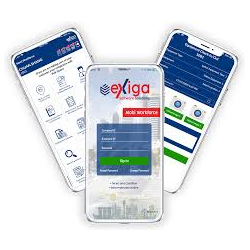
- Mobile & Offline-First Inspections
- Native iOS/Android app for field use
- Full offline mode → complete checklists/photos → auto-sync when connected
- Fast, guided workflows even in poor-signal areas
- Customizable Digital Checklists
- Templates aligned with OSHA/EN/ local regulations
- Conditional logic (show/hide items based on scaffold type: tube & fitting, system, hung, mobile, etc.)
- Mandatory fields, pass/fail/NA + severity scoring
- Multi-language support for diverse crews
- Photo, Video & Annotation Capture
- Attach geotagged, timestamped media directly to checklist items
- Markup tools to highlight defects (cracks, missing ties, improper planking)
- Before/after evidence for rectification proof
- Digital Scaffold Tagging & QR/NFC Integration
- Auto-generate green (safe), yellow (caution/restricted access), red (unsafe – do not use) tags
- QR code or NFC tags attached physically → scan with phone for instant status/history
- Prevent access to red-tagged scaffolds via alerts/escalation
- Automated Scheduling & Reminders
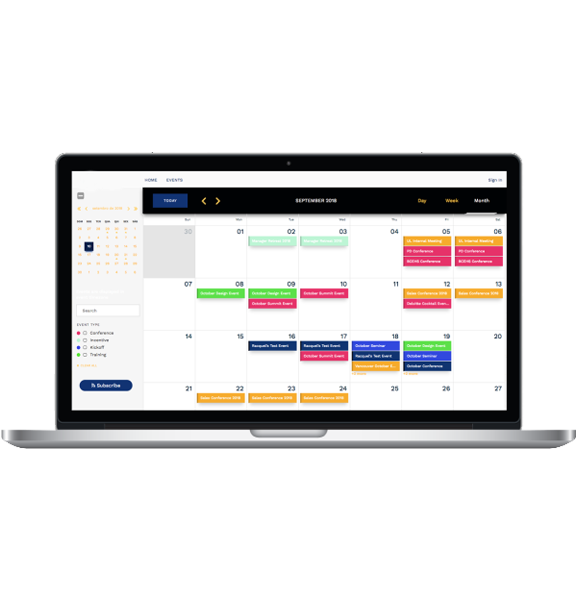
- Set recurring inspections (daily, 7-day, post-weather, post-modification)
- Push notifications, email/SMS alerts for overdue inspections or unresolved red tags
- Escalation to supervisors/safety managers if ignored
- Real-Time Dashboards & Visibility
- Project/site-level overview: total scaffolds, % safe, overdue count, red tags
- Contractor-wise, floor-wise, or shift-based filtering
- Live floor map / site map showing scaffold locations & statuses
- Trends: recurring defects, inspector performance, compliance rate
- Full Audit Trail & Compliance Reporting
- Immutable log: who inspected, when, findings, actions, digital signatures
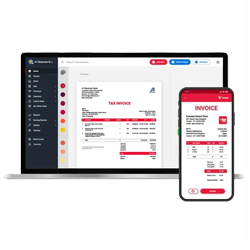
- Instant PDF/HTML export of inspection reports, handover certificates, tag history
- Searchable archive for audits/insurance claims
- Role-Based Access & Workflows
- Roles: Inspector, Supervisor, Safety Officer, Project Manager, Client Viewer
- Approval workflows for tag changes or rectification sign-off
- Training/competency record linkage (optional)
- Advanced / Emerging Features (2025+)
- AI-assisted defect recognition from photos
- Integration with BIM/3D models or project tools (Procore, Autodesk)
- Weather-triggered alerts (high wind, heavy rain)
- Inventory tie-in: link inspections to component tracking
- Multi-project / multi-company support for contractors
Typical Digital Inspection Checklist Structure
(Adaptable per scaffold type and jurisdiction)
- Pre-Inspection / General
- Scaffold unique ID / location / type
- Inspector name & competency
- Date/time/weather conditions
- Foundation & Stability
- Base plates / sole boards on firm ground
- No undermining / settlement
- Proper bracing / guying / tying (e.g., 4:1 height rule)
- Plumb & level checks
- Structure & Components
- No damaged/bent/coroded parts
- Secure couplers/clamps/ledger connections
- Adequate cross-bracing
- Platforms & Decking
- Fully planked (gaps ≤ 1 inch)
- Planks correctly supported/overlapped
- No defective/wet/ contaminated boards
- Load rating not exceeded
- Fall & Falling Object Protection
- Guardrails (top 0.95–1.2 m, midrail)
- Toeboards where required
- Netting/screens if needed
- Access & Egress
- Safe ladders / stairs / ramps
- No climbing scaffold frame
- Access points guarded
- Other Hazards
- Clearance from power lines
- Housekeeping (no tools/debris)
- Weather protection if applicable
- Overall Status & Action
- Pass → Green tag
- Minor issues → Yellow + rectification plan
- Unsafe → Red + immediate lockout/notification
This type of software dramatically improves safety culture, cuts paperwork by 70–90%, and provides defensible records in case of incidents.

